
Simply Guitar - Learn Guitar
Simply LtdEducation
4.610.66K Reviews
- Version
- 9.8.1
- Installs
- 10.00M
- Age Rating
- Everyone
Screenshots
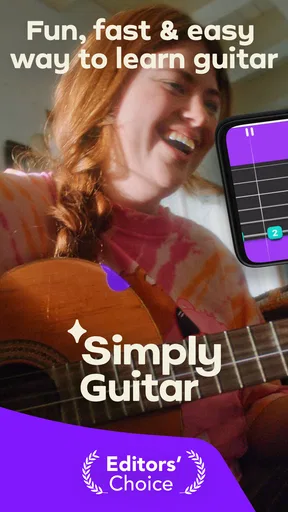
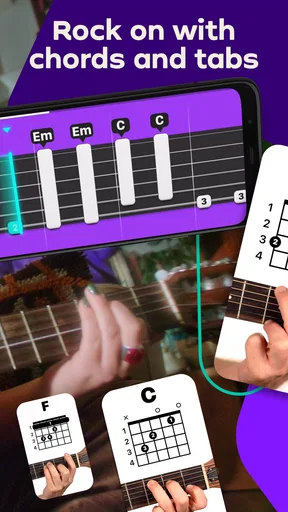
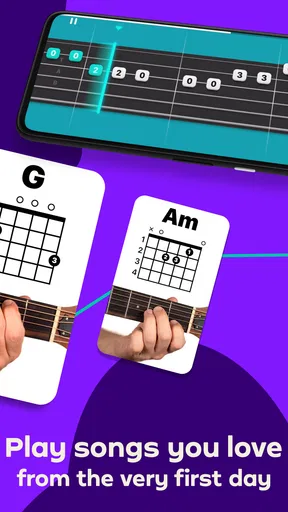
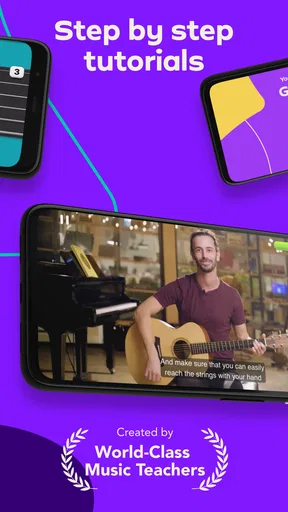
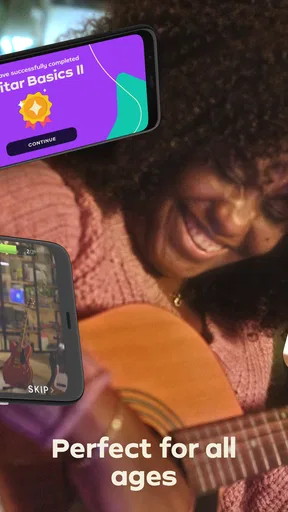
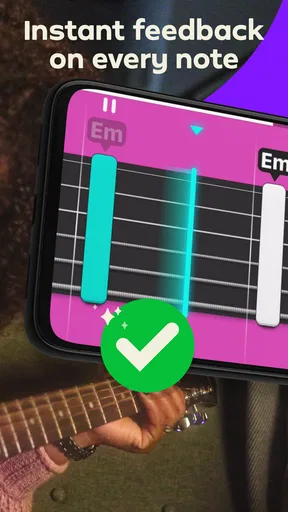
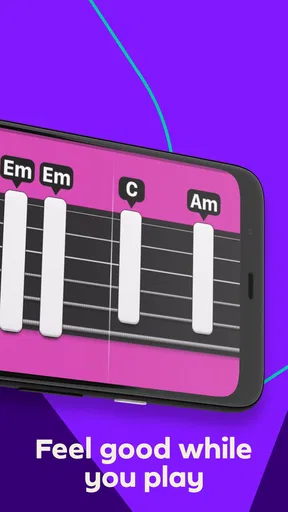
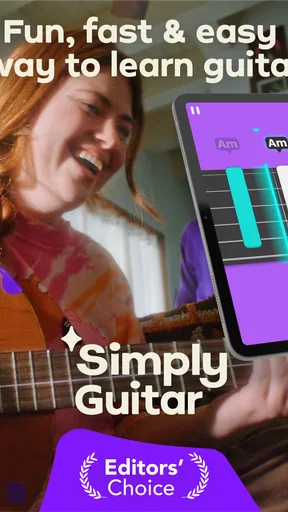
Our Review of Simply Guitar - Learn Guitar
 Analysis by Appyee
Before choosing a guitar-learning app, I’d ask one practical question: do I want a clear routine that listens while I play, or do I want to explore music theory, tabs, and songs on my own? Those are different learning styles. Simply Guitar is aimed at people who want a guided start, especially if the first hurdles are tuning, changing chords, and knowing what to practise next. I found that structure useful when I had only a short window to pick up the instrument.
A phone-based lesson also suits a very ordinary situation: the guitar is sitting nearby after dinner, and I have ten minutes before moving on to something else. Rather than spend that time searching through videos, I can follow a focused exercise and hear whether my playing is close enough for the lesson to continue. That kind of small, repeatable session is more realistic for a busy beginner than waiting for a free afternoon to practise properly.
Choosing a learning style that fits
I’d use this section to decide whether a guided, listening-based lesson suits the way you actually practise. The key trade-off is convenience versus personal correction: a phone can help you keep moving through exercises, while a teacher can spot physical habits the app cannot see. Once that distinction is clear, it becomes easier to judge where this format is strongest and where another learning route may fit better.
What guided practice does well
The main decision is whether feedback and a sequence of lessons will help you stick with guitar. Simply Guitar, an education app from Simply Ltd, is designed around learning by playing along rather than only reading explanations. Its microphone-based feedback makes it easier to notice when a note or chord is not landing as expected. I would treat that response as a helpful guide, not a substitute for listening closely to your own sound: a phone can register a note while missing things a human teacher might notice, such as tension in your hands or an awkward posture.
That distinction matters when you are learning at home. Put the phone where it can hear the guitar clearly, keep other noise down, and give each exercise a few tries before deciding you are stuck. If the app does not recognize a chord, check your tuning and the clarity of each string before repeating the same attempt at speed. Slowing down to place your fingers cleanly is often more useful than rushing to satisfy the lesson.
A useful fit for new players
I’d recommend this approach to someone who owns a guitar but has not yet built a practice habit, or to a returning player who wants a gentle route back into basic skills. The lessons make a large subject feel manageable, and using familiar songs can give a beginner a reason to work through chord changes instead of treating them as isolated drills. It can also be a convenient first step for a parent or adult learner who wants to test their interest before committing to scheduled lessons.
It is less suitable if your goal is detailed one-to-one correction, formal music theory, or a specific advanced technique. A structured app can help you practise, but it cannot see your fretting hand or adjust its advice to every physical detail. If you already read notation or tabs fluently and prefer choosing your own repertoire, a reference-based lesson library or a teacher may be a better match. The best option depends less on which format is universally better and more on what keeps you playing consistently.
If you are comparing the usual alternatives, think of them in three groups: private instruction, video lessons, and self-directed materials such as tabs or chord charts. A teacher is the stronger choice when you need personal feedback or accountability. Videos can be good for watching a movement repeatedly, while charts let you jump straight to a song you already want to learn. Simply Guitar’s advantage is the guided, interactive middle ground: it gives a beginner a next step and responds while they practise, without asking them to plan the whole course themselves.
Where its format has limits
There are trade-offs to that convenience. The microphone needs a reasonably clear signal, so a noisy room or another person playing nearby can make feedback less dependable. Beginners may also find that a lesson’s pace feels fast on a difficult chord change and slow on a skill they already know. I would pause and repeat a section when needed rather than assuming that moving forward quickly means the skill is secure. Good practice is not just getting a green light; it is being able to repeat the movement comfortably and make the chord sound clean.
There is also a difference between learning the app’s exercises and becoming comfortable with a guitar in every setting. You still need time to build fingertip comfort, coordinate both hands, and develop a steady rhythm. Short lessons can make practice easier to start, but they do not remove the need for repetition. If you have persistent discomfort, stop and check your posture and hand position rather than pushing through simply to finish a session.
Planning for cost and commitment
The app is free to download, with in-app purchases ranging from $9.99 to $179.99 per item. I’d explore the available learning experience and decide whether the format suits me before paying for anything. Because the purchase range is broad, it is worth checking the terms shown in the app carefully and thinking about how often you will actually practise. A paid option makes more sense if you have a guitar ready and a routine in mind than if you are still unsure whether you want to learn.
Switching later is possible, but it has a small practical cost: you may need to rebuild your routine and find a new sequence of exercises. Skills such as tuning, chord shapes, and keeping time carry over, so using another teacher or learning resource does not mean starting from nothing. If you move to video lessons, keep a short note of the chords or techniques you have already worked on; that makes it easier to choose material at the right level rather than repeating only what feels familiar.
What to expect before installing
Simply Guitar is rated for Everyone and runs on Android 6.0 or later. Its current version is 9.7.7, and it has reached over 10 million installs, with an average rating of 4.6 from around 346,000 ratings. That popularity suggests many learners have found the format approachable, though ratings cannot tell you whether its teaching style will suit your hands, goals, or preferred music. I’d use the first sessions to judge that for myself: can I hear the instructions clearly, follow the lesson, and leave with a specific thing to practise next?
One small but useful habit is to decide on a stopping point before opening the app. For example, I might work on one chord transition, repeat it slowly, and finish by playing it in a song section. That gives a short session a purpose and makes it easier to notice progress without relying only on badges or a tracker. It also reduces the temptation to tap through lessons while the guitar is in my lap but my attention is elsewhere.
If you are choosing between an app and in-person lessons, consider what usually interrupts your practice. If scheduling is the obstacle, guided sessions you can do at home may help. If you are unsure whether your technique is healthy or cannot get past a physical movement, a teacher’s direct observation is more valuable. The two approaches can also complement each other: use an app to keep practising between lessons, while asking a teacher to check posture and technique.
For a first guitar, compatibility is reassuring: the app is presented as working with any guitar, so you do not need to choose an instrument around a particular lesson system. Still, the experience depends on being able to hear your playing clearly. I would practise in a quieter spot when possible and avoid placing the phone too far away. If the microphone feedback seems inconsistent, first test the room and tuning before concluding that the instrument itself is the problem.
The main question after trying it is not whether every exercise feels exciting, but whether the format gets you to pick up the guitar again. If a familiar song motivates you, that can be a strong bridge from basic chord practice to playing something recognizable. If you would rather learn a particular song immediately, or need lessons built around a genre or technique, you may prefer a resource where you can choose exactly what to study. A guided path is helpful, but it should not become a reason to ignore the music you actually want to play.
Getting Started with Your Guitar Journey
First off, the app is super easy to set up. I downloaded it on my phone and was greeted with a friendly interface that didn’t make me feel like I was jumping into the deep end. The initial setup guides you through tuning your guitar, which is a nice touch. I mean, who knew tuning could be this simple? The app uses your device’s microphone to listen to your guitar and guides you to perfect tuning. It’s like having a personal tuner in your pocket!
Interactive Lessons That Keep You Hooked
The real magic of Simply Guitar lies in its lessons. They’re designed to be short and engaging, which is perfect for someone like me who has the attention span of a goldfish. The app starts with the basics, so you’re not thrown into complex chords right away. I appreciated how it broke down the process into digestible bits, making it feel like I was progressing even in a short practice session.
One thing I loved is the use of popular songs to teach chord progressions. Playing a tune you recognize makes practice feel less like a chore and more like a jam session. The app listens as you play, offering feedback in real time. It’s like having a teacher right there with you, minus the judgmental looks!
Motivation and Progress Tracking
Staying motivated to practice can be tough, especially when life gets busy. But this app has a nifty progress tracker that shows you how far you’ve come. Seeing my improvements laid out visually kept me coming back for more. It also offers tips and tricks along the way, helping to iron out those little mistakes you might not even realize you’re making.
There are also achievement badges, which might sound a bit cheesy, but they definitely add a fun layer to the learning process. Who doesn’t love a little pat on the back for a job well done?
Customization and Personalization
One of the standout features is how customizable the learning experience is. You can choose which songs you’d like to learn or which skills to focus on. Whether you’re into rock, pop, or country, Simply Guitar has you covered. The app adapts to your pace, so you’re never rushed or held back.
Plus, if you’re feeling adventurous, there are advanced modes to challenge yourself once you’ve mastered the basics. I found this really motivating—it’s like having a whole music library at your fingertips, tailored just for your skill level.
Community and Support
Learning anything new can sometimes feel isolating, but the app connects you with a community of fellow learners. You can share your progress, ask questions, and even participate in challenges. It’s nice knowing you’re not alone in your musical journey.
Moreover, their customer support is top-notch. I had a couple of queries about some features, and the response was quick and helpful. It’s clear they care about their users and are keen to help you succeed.
In conclusion, Simply Guitar has made my foray into learning guitar not only attainable but genuinely enjoyable. It combines technology with the art of music in a way that’s accessible to everyone. Whether you’re a complete newbie or someone looking to brush up on your skills, this app is worth checking out. So, pick up that guitar and let Simply Guitar guide you to musical greatness!
Privacy and Permissions
See what permissions an app requests and how it handles your data.
- Photos/Media/Files
- read the contents of your USB storage, modify or delete the contents of your USB storage
- Storage
- read the contents of your USB storage, modify or delete the contents of your USB storage
- Microphone
- record audio
- Wi-Fi connection information
- view Wi-Fi connections
- Other
- view network connections, full network access, control Near Field Communication, run at startup, control vibration, Google Play license check
Verdict
Strengths of Simply Guitar - Learn Guitar
- User-friendly interface for beginners.
- Step-by-step tutorials are very clear.
- Wide variety of songs to learn.
- Real-time feedback on playing.
- Offline access for practice anywhere.
Limitations of Simply Guitar - Learn Guitar
- Requires subscription for full access.
- Limited advanced guitar techniques.
- Some features need internet connection.
- Occasional app crashes reported.
- Song library updates are infrequent.
Other Releases by Simply Ltd
View All
Simply Piano: Learn Piano Fast
Education4.6

Simply Sing: My Singing App
Music & Audio4.5

Simply Draw: Learn to Draw
Education4.7

Guitar Tuner - Simply Tune
Music & Audio4.8
Similar Picks in This Category
View All
Duolingo: Language Lessons
Duolingo4.7

Google Classroom
Google LLC2.8

Unacademy: Learn & Crack Exams
Unacademy3.2

Bible App for Kids
Life.Church4.4

Cake - Learn English & Korean
Cake Corp.4.7

Brainly: AI Homework Helper
Brainly4.5
Frequently Asked Questions
What is Simply Guitar, and how does it work?
Simply Guitar is an educational app designed to teach users how to play the guitar. It uses interactive lessons and real-time feedback to help beginners and intermediate players improve their skills. The app listens to your playing through the device’s microphone and provides instant feedback on your technique and accuracy.
Is Simply Guitar suitable for complete beginners?
Yes, Simply Guitar is ideal for complete beginners. It offers step-by-step lessons starting from the basics, such as holding the guitar and playing simple chords. The app gradually moves to more advanced techniques, ensuring a smooth learning curve for users without any prior experience.
What types of guitars can be used with Simply Guitar?
Simply Guitar is compatible with both acoustic and electric guitars. The app uses the device’s microphone to listen to the sound of the guitar, so as long as your guitar can be heard clearly, you can use it to learn and practice. No additional equipment is required.
Are there any subscription fees or in-app purchases?
Simply Guitar offers a free trial period, but to access the full range of lessons and features, a subscription is required. The app provides various subscription options, such as monthly or yearly plans. Users should be aware of these costs before committing to the app.
Can Simply Guitar be used offline?
Simply Guitar primarily requires an internet connection to access lessons and features. However, some content might be available offline once downloaded. Users should check the app’s settings and storage capabilities to see which lessons can be accessed without an internet connection.
